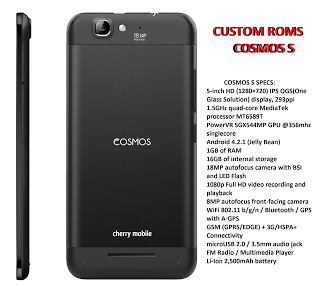
How to root and flash custom recovery for Cherry Mobile Cosmos S

How to root and flash custom recovery for Cherry Mobile Cosmos S Warning: Rooting can void your warranty! Do it at your own risk! Requirements: Cosmos S internet/data/wifi Kingroot4.1.zip (download and extract) Procedure: First of all download full APK file of kingroot. If you use your computer to download the file, then you need to transfer … Read more
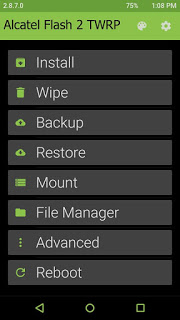
[UPDATED] Materialized TWRP for Alcatel Flash 2

[UPDATED] Materialized TWRP for Alcatel Flash 2 What’s New?– Change to Material UI.– Fixed backup error when stock rom is too large.– Update kernel to V3.1 rom.Requirements:Rooted for rooting proceed hereflash2_twrp_v2.zipFlashify_1.9.1.apk Procedure: Step 1:Install Flashify_1.9.1.apk Step 2: Move the recovery.img in your SDCARD outside the folder which you can see easily. Step 3: Open Flashify Grant SuperSu Click Recovery … Read more

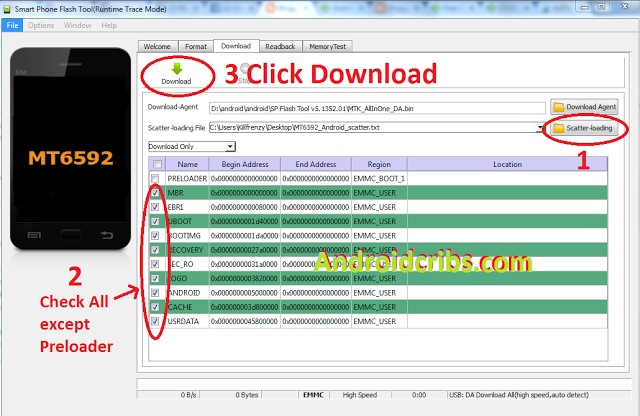
[TUT] How to fix bootloop O+360 Extreme via SPFT

[TUT] How to fix bootloop O+360 Extreme via SPFT O+ 360 Extreme specs:5.5-inch HD (1280×720) IPS display1.7GHz MediaTek MT6592 octa-core processor2GB RAMExpandable 16GB internal storageSupports up to 32GB MicroSD card13MP rear camera with flash8MP front camera with flashDual-SIM (MicroSIM + Regular)3G/HSPA+Bluetooth, Wi-Fi2400mAh batteryAndroid 4.4 KitkatDimension: 154 x 79 x 7.8mmWeight: 152g Requirements: PC USB Cable … Read more

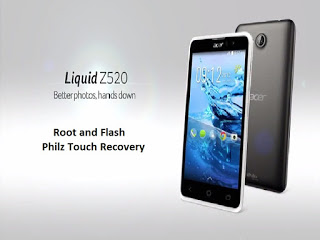
How to root and Install Philz Touch Recovery in Acer Liquid Z520

How to root and Install Philz Touch Recovery in Acer Liquid Z520 Acer Liquid Z520 specs: 5-inch display @ 854 x 480 resolution, 187 ppi 1.3GHz MediaTek MT6582M quad-core processor Mali-400MP2 GPU 1GB RAM 8GB internal storage expandable up to 32GB 8MP rear camera with LED flash 2MP front camera Dual-SIM Bluetooth 4.0, A2DP Wi-Fi … Read more

How to root and Flash TWRP in Lenovo A6000 lollipop firmware

How to root and Flash TWRP in Lenovo A6000 lollipop firmware Requirements:Lenovo A6000/Plus (Lollipop)PC (windows)Download this tools (contains adb, fastboot, supersu, custom recovery)Procedure: How to root: Enter to fastboot Turn off your phone Hold on the volume – key and hold on the power button Wait until lenovo logo appears with small text “Powerkey long … Read more

Tutorial how to flash TWRP 2.8.7.0 For Lenovo A5000 in Lollipop version

Tutorial how to flash TWRP 2.8.7.0 For Lenovo A5000 in Lollipop version Requirements: PC USB Cable Download Links:Mediatek VCOM Drivers:  Click Here SP Flash Tool: Click Here Lenovo TWRP + Scatter fileClick Here  Instructions 1. Download all necessary files and Enable USB Debugging mode in your phone.. 2. Install Drivers USB_VCOM_Driver.rar In Device Manager Right click on PC name(Right … Read more

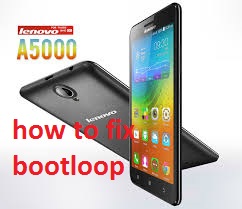
How to fix bootloop Lenovo a5000(kitkat) via SPFT

How to fix bootloop Lenovo a5000(kitkat) via SPFT Requirements: PC USB Cable Download Links:Mediatek VCOM Drivers: – Click Here SP Flash Tool: Click Here Lenovo a5000 Stock romClick Here  Instructions 1. Download all necessary files and Enable USB Debugging mode in your phone.. 2. Install Drivers USB_VCOM_Driver.rar In Device Manager Right click on PC name(Right Side) and then click … Read more

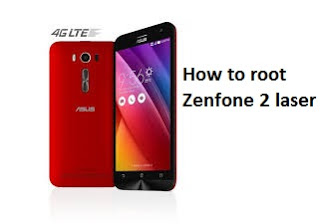
How to Root and Install TWRP recovery for ASUS Zenfone 2 Laser

How to Root and Install TWRP recovery for ASUS Zenfone 2 Laser Requirements: ADB and FASTBOOT tools mod_boot.img Method 1: Download and Install ADB Fastboot tool  Run it (Require administrator privileges) Press Y/Yes to install ADB and Fastboot or N/No to skip Press Y/Yes to install ADB system-wide or N/No for current user only Press … Read more

How to root and install TWRP recovery for Samsung Galaxy Note 2

How to root and install TWRP recovery for Samsung Galaxy Note 2 Requirements: Samsung USB Drivers Odin v3.07 CF-Auto-Root-t03g-t03gxx-gtn7100.zip Download and Install the Samsung USB Drivers Download and Extract Odin v3.10 onto your PC Download and extract CF-Auto-Root-t03g-t03gxx-gtn7100.zip Enter Download mode on your Galaxy S6 device. (hold Home, Power and Volume Down buttons for a few seconds and follow,click instructions) Run Odin … Read more