
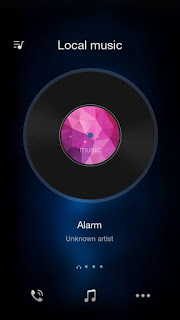
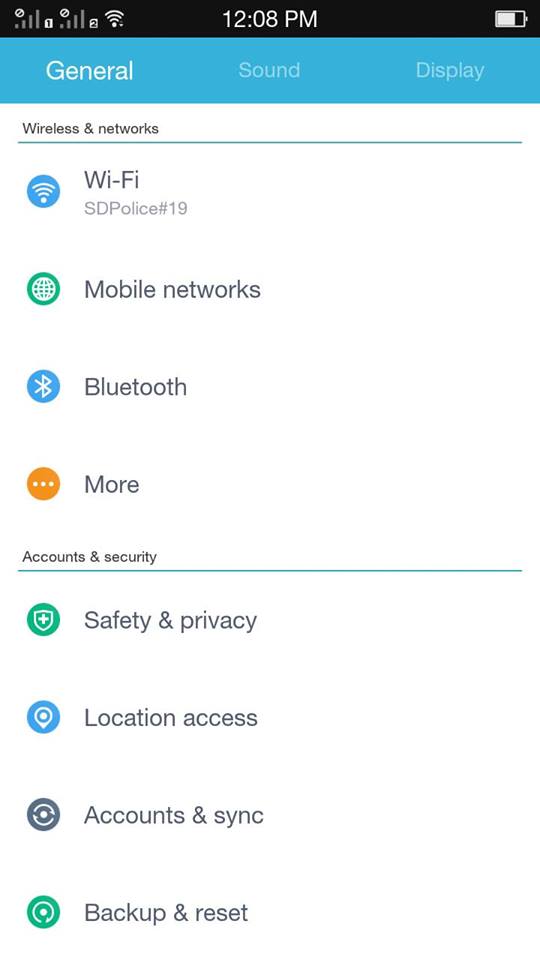
[ROM] Oppo ColorOS 2.1.1i ported for CM Pulse




* Your warranty is now void.
*
* I am not responsible for bricked devices, dead SD cards,
* thermonuclear war, or you getting fired because the alarm app failed. Please
* do some research if you have any concerns about features included in this ROM
* before flashing it! YOU are choosing to make these modifications, and if
* you point the finger at me for messing up your device, I will laugh at you.
*
* I am not responsible for bricked devices, dead SD cards,
* thermonuclear war, or you getting fired because the alarm app failed. Please
* do some research if you have any concerns about features included in this ROM
* before flashing it! YOU are choosing to make these modifications, and if
* you point the finger at me for messing up your device, I will laugh at you.
* Make sure to backup your current ROM
Features:
► DUAL SIM – √
► 2G 4BAND – √
► Microsim slot is sim1 – √
► Rooted – √
► Oppo WeatherWidget – √
► Oppo Camera – √
► Oppo Plugin Camera – √
► Oppo Theme ColorOS 2.1.1i – √
► Oppo wallpaper – √
► Build in Dolby Digital Plus – √
► Viper4 Sound FX – √
► Additional setting app – √
► CPU Control – √
► CPU Status – √
► Download EPO.dat – √
► Adblock – √
► Wakelock Detector – √
► King Root 4.5.2 – √
► Font Rosemary – √
► Font Chococooky – √
► 3 Finger Screensort – √
► 2 Finger Sound control – √
► Oppo app etc. – √
► 2G 4BAND – √
► Microsim slot is sim1 – √
► Rooted – √
► Oppo WeatherWidget – √
► Oppo Camera – √
► Oppo Plugin Camera – √
► Oppo Theme ColorOS 2.1.1i – √
► Oppo wallpaper – √
► Build in Dolby Digital Plus – √
► Viper4 Sound FX – √
► Additional setting app – √
► CPU Control – √
► CPU Status – √
► Download EPO.dat – √
► Adblock – √
► Wakelock Detector – √
► King Root 4.5.2 – √
► Font Rosemary – √
► Font Chococooky – √
► 3 Finger Screensort – √
► 2 Finger Sound control – √
► Oppo app etc. – √
Bugs:
Sa garden marami.
Sa kagubatan marami rin.
Ung mga users na mareklamo masyado na hindi marunong magpasalamat.
– Comment here and I’ll fix it as soon as I can.
Installation:
CWM:
Reboot To Recovery
– Wipe all Data
– Wipe Cache
– Wipe Dalvik Cache
Install Zip
– ROM
– Dolby Atmos
– KingRoot
Reboot! & Enjoy
Reboot To Recovery
– Wipe all Data
– Wipe Cache
– Wipe Dalvik Cache
Install Zip
– ROM
– Dolby Atmos
– KingRoot
Reboot! & Enjoy
PhilZ:
Reboot To Recovery
– Clean to Install New Rom
– Wipe Dalvik Cache
Install Zip
– ROM
– Dolby Atmos
– KingUser
Reboot To Recovery
– Clean to Install New Rom
– Wipe Dalvik Cache
Install Zip
– ROM
– Dolby Atmos
– KingUser
Reboot! & Enjoy
Color OS 2.2.1i:
Click Here
Click Here
Dolby Atmos:
Click Here
Click Here
KingRoot:
Click Here
Click Here
Sound Patch(makes speaker louder):
If bluetooth doesn’t work, flash this via recovery:
Credits:
Paul Albert Horfilla
Oppo
Wittaya Srinuan
Himura05
XDA
Nameless Porting Team
Paul Albert Horfilla
Oppo
Wittaya Srinuan
Himura05
XDA
Nameless Porting Team