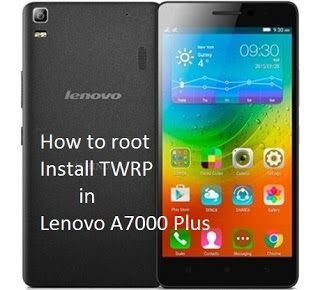
How to root and Flash TWRP in Lenovo a7000

How to root and Flash TWRP in Lenovo a7000  Warning: Rooting can void your warranty! Do it at your own risk!Requirements:Download all and extract:LenovoUsbDriver_1.0.14.rarSP_Flash_Tool_v5.1516.00.rarTWRP_2.8.6.0.rarUPDATE-SuperSU-v2.46.zip Installing CWM/TWRP recovery in Lenovo A7000 via SPFT Procedure: Make sure you have enough Battery atleast 60% and above. Download and extract LenovoUsbDriver_1.0.14.rar then install AIO_LenovoUsbDriver_autorun_1.0.14.exe in PC Download and extract SP_Flash_Tool_v5.1516.00.rar and open folder then click flash_tool.exe … Read more

How to root MyPhone Rio 2 and Flash Philz Recovery

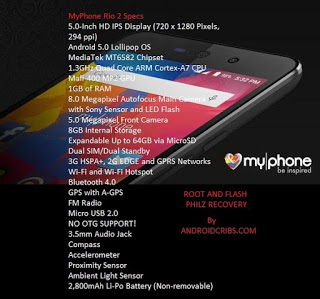
How to root MyPhone Rio 2 and Flash Philz Recovery Warning: Rooting can void your warranty! Do it at your own risk! Requirements: Rio 2 internet/data/wifi Kingroot4.1.zip (download and extract) Procedure: First of all download full APK file of kingroot. If you use your computer to download the file, then you need to transfer in your … Read more

How to root Huawei Honor 4c and Install CWM recovery for Kitkat

How to root Huawei Honor 4c and Install CWM recovery for Kitkat Warning: Rooting can void your warrnty! Do it at your own risk!.Requirements:Download allADB DRIVERFastboot Adb ToolCWM.imgUSB Cable PROCEDURE: FIRST STEP:Enable USB Debugging Under Development Options (Open Settings> About> Software Information> More.Then tap “Build number” seven(7) times to enable Developer options. …Go back to Settings menu and now you’ll be able … Read more

How to Root Lenovo K3 Note and Install CWM Recovery

How to Root Lenovo K3 Note and Install CWM Recovery Warning: Rooting can void your warranty! Do it at your own risk! First Step:Enable USB DebuggingOpen Settings> About> Software Information> More.Then tap “Build number” seven (7) times to enable Developer options. …Go back to Settings menu and now you’ll be able to see “Developer options” … Read more

How to root Huawei Honor 4x/4c and Install TWRP recovery for Lollipop

How to root Huawei Honor 4x/4c and Install TWRP recovery for Lollipop Warning: Rooting can void your warranty! Do it at your own risk!. Requirements:Download allADB DRIVERFastboot Adb ToolTWRP.imgUSB Cable PROCEDURE: FIRST STEP:Enable USB Debugging Under Development Options (Open Settings> About> Software Information> More.Then tap “Build number” seven(7) times to enable Developer options. …Go back … Read more

How to root Samsung Galaxy Core Prime and Install TWRP

ROOT SAMSUNG GALAXY CORE PRIME SM-G360H/DS and SM-G360HU  Requirements: Download all: Samsung USB Drivers ODIN 3.07  G360H-root-kernel.tar Vroot for pc TWRP Procedure: First Enable USB Debugging, Go to Settings > Developers Option > USB DebuggingTo activate Developers Option Go to Settings > About Phone > Built Number (Tap 7 times) Install Samsung USB Driver in your PC/Desktop Boot the … Read more

How to root Samsung Galaxy J1 and flash TWRP recovery

How to root Samsung Galaxy J1 and flash TWRP recovery Warning: Rooting can void your warranty. Do it at your own risk! Requirements: Samsung USB Drivers Odin v3.07 CF-Auto-Root-t03g-t03gxx-gtn7100.zip Download and Install the Samsung USB Drivers Download and Extract Odin v3.10 onto your PC Download and extract CF-Auto-Root-t03g-t03gxx-gtn7100.zip Enter Download mode on your Galaxy J1 device. (hold Home, Power and Volume … Read more

How to root Starmobile UP HD and Install TWRP recovery

How to root Starmobile UP HD and Install TWRP recovery Warning: Rooting can void your warranty! Do it at your own risk! Requirements: Cosmos S internet/data/wifi Kingroot4.1.zip (download and extract) Procedure: First of all download full APK file of kingroot. If you use your computer to download the file, then you need to transfer in your … Read more

How to root and Install Custom Recovery for Firefly Mobile Intense Metal

How to root and Install Custom Recovery for Firefly Mobile Intense Metal Rooting: 1. Download KINGROOT apk https://sites.google.com/site/androidxdacom/file/KingRoot-4.0.1.237.apk?attredirects=0 2. Install KINGROOT 3. Open and tap “ROOT” (yung bilog na green po) 4. Wait for the process to finish, may lalabas na ROOT at CHECK dun sa green na bilog. It means, rooted na… You can use Root … Read more